

Long time no see!
This is a continuation of the LitRPG Systems Overview I wrote some time ago. I'm hoping to turn it into a series and have more breakdowns as time goes.
Small note here: I’m not the perfect expert on these matters. These are just some thoughts I’ve had, as well as experiences as an author within the genre.
Now, first things first. To understand a thing, you must first define it, so here we go.
LitRPGs tend to use Systems in one way or another. On average, most books and series use the term “System”. It’s a bit of familiar for the reader, making it easy to dive into the text and immediately have a grasp of what that particular terminology means.
Within the System, there are several different ways that the author can identify portions of it. You can call them screens, UI (user interface), an overlay, a HUD (Heads-up Display), and so on.
Overall, they mean the same thing. It’s the visual apparatus of the System superimposing itself on the character’s vision and/or mind. The author uses it to provide updates from the System for the Protagonist and reader, bringing a visual dynamic to the story that is missing from most other escapist literature.
That is a basic definition, so we’ll leave it at that and dive into options and where they can be found.
"Bigger the achievement, the bigger the big ol blue box to show off the achievement. However if it is a lot of small things, find a way to condense the information."
-Darkmuch taken from Reddit Tweet
Common Notification Formatting Types

1. Blue boxes: This is an old style that was commonly found in RoyalRoad but has petered out over time. Notifications and updates would arrive in large blue or other-colored boxes, announcing to the reader and the protagonist when something important occurred. Blue boxes began to fade and were replaced by HTML tables as LitRPG became more complex.
Positives and negatives: Positives are that they’re simple and easy to understand. On the negative side, it’s a little ugly and will seem old-school without the cool.
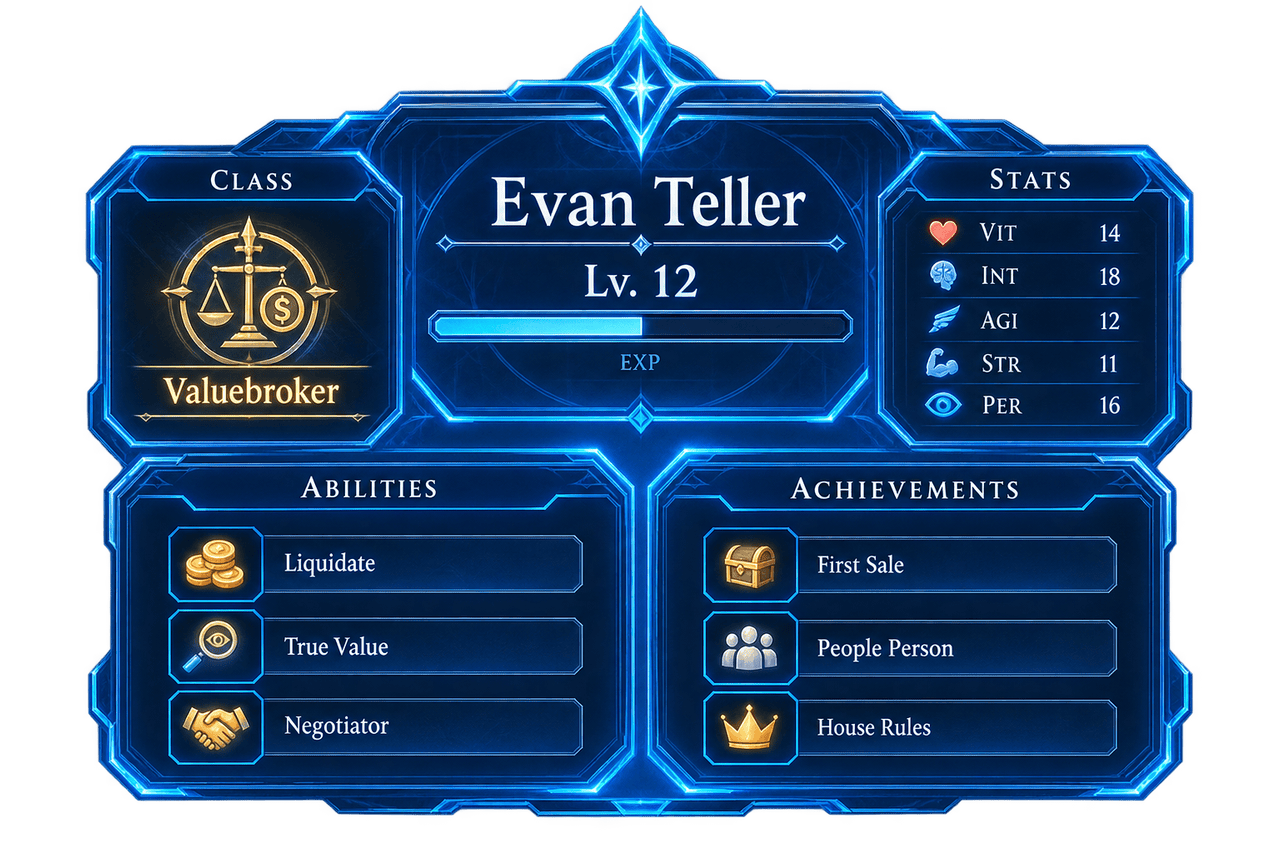
2. HTML Tables: Want to show a character’s progress? Bam, slam a table in. Want to show how an item works, including a lengthy history description? Table. They run the gamut of what you’d like to show, with several stories now only showing tables in a single, independent chapter a few times each book.
Tables are still around, particularly in older stories and even some newer ones. For those of you using RoyalRoad, a really easy way to manage table creation is to create a template draft within your story, then save that template and copy/paste from it into each story. Takes all that sweat and design effort and turns it into a one-minute affair once you have it in a sweet spot.
Positives and negatives: They’re great for compacting a lot of information into small portions that readers can check to understand what’s happening. Color coordination is a big plus, but take it from me, that doesn’t translate well to Patreon. Screenshotting tables and then placing them within my Patreon posts was a pain and a half. On the dark side of things, this method of presenting information can easily overwhelm the more progressive, lesser-LitRPG lovers. Too many screens and UI updates can wear them out, and it’s particularly hard on your narrator. To my own narrator, I just have to say, sorry, Johnathan.
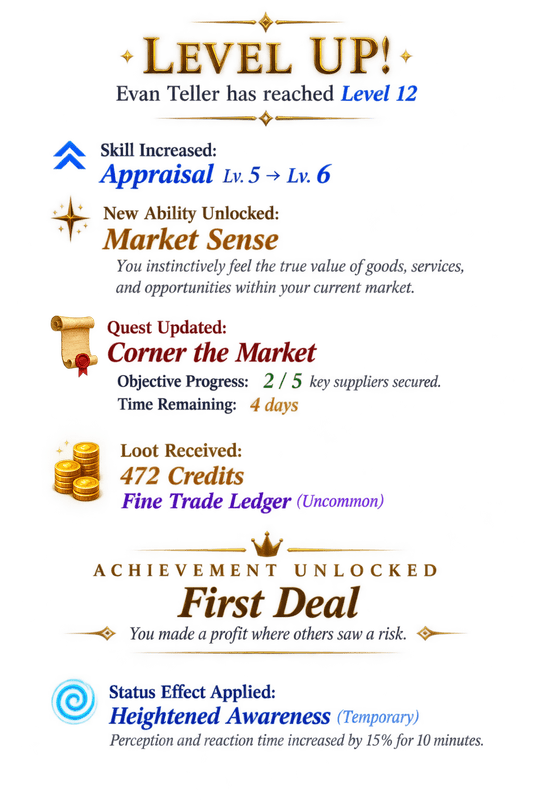
3. Rich Text: Rich text is the most common type of notification. It came about because many authors were tired of formatting tables and didn’t like the look of blue boxes, just like yours truly. Some can be exceedingly long if the author hasn’t adjusted to giving notification updates in small spurts rather than large drops. More often than not, an author will drop a lot of rich text formatted notifications after a big battle or event.
Positives and negatives: Easy to set up, remember the setup, and copy from any templates you may have. Not as pretty, and can be hard on the eyes when they go on too long. Also not nearly as compact as using a table.
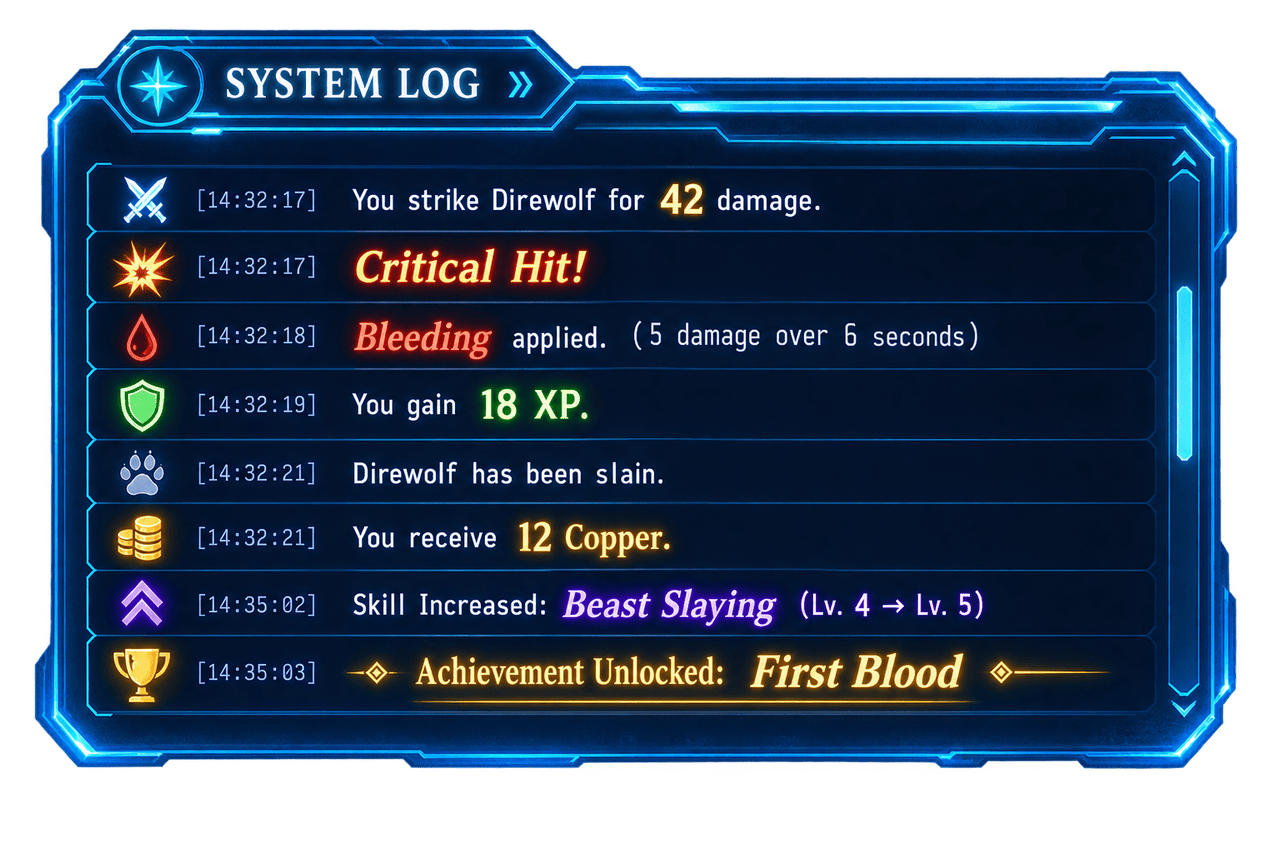
4. System Log: System or Console logs are a bit rarer. You commonly see these in stories that use many messaging systems or even programming. They’re not necessarily bad, just different, and often use accompanying punctuation and word choice that will seem non-standard when viewing. I don’t have a clear good or bad use situation for this, it’s just rare and not often seen.
A Brief List of Common Notifications
It’s not that brief, I lied. Prepare thyself; there are a lot of options, and I’m only touching on the ones I’ve seen, know, and/or use. My original list came out to over 250, but they can be broken down in the following.
| Category | What it Covers | Short Examples |
|---|---|---|
| 1. Progression | Level-ups, XP, stats, skills, classes, traits, and permanent growth. | Level Up! Skill Increased: Swordsmanship 4 → 5 New Trait: Iron Will |
| 2. Quests & Objectives | New quests, updates, progress, completion, failure, and hidden objectives. | Quest Received: The Missing Caravan Objective Complete: 3/3 Bandits Defeated Quest Failed |
| 3. Combat | Damage, critical hits, kills, boss mechanics, dodges, blocks, and combat state. | Critical Hit! 86 Damage Direwolf Defeated Boss Phase Two Initiated |
| 4. Status & Resources | Buffs, debuffs, health, mana, stamina, conditions, and environmental effects. | Poisoned: 12 Seconds Mana Below 10% Buff Gained: Haste |
| 5. Loot, Equipment & Crafting | Items, currency, equipment, crafting, gathering, recipes, and upgrades. | Rare Item Acquired: Emberblade +45 Gold Recipe Learned: Minor Healing Potion |
| 6. Exploration & Discovery | New locations, maps, dungeons, landmarks, secrets, and lore. | Location Discovered: Blackwood Ruins Map Updated Hidden Chamber Found |
| 7. Social, Economy & Management | Reputation, factions, relationships, guilds, trade, ownership, settlements, and territory. | Reputation Increased: Ironhold +10 Property Acquired: Eastgate Inn Settlement Population: +24 |
| 8. World & System | Global announcements, world events, integrations, System changes, and feature unlocks. | SYSTEM INITIALIZATION COMPLETE World Event: The Gates Have Opened New Feature Unlocked: Auction House |
| 9. Choices, Checks & Prompts | Class selections, reward choices, dialogue checks, skill checks, and confirmations. | Choose Your Class Persuasion Check: Success Accept Evolution? YES / NO |
| 10. Errors, Warnings & Anomalies | Invalid actions, missing requirements, danger warnings, glitches, corruption, and redacted data. | Insufficient Mana WARNING: Threat Level Critical ERROR: [DATA CORRUPTED] |
Common Notification Appearances
Final section here.
Notifications can lift a story up or drag it down, depending on the frequency of their use and their value to the story.
If you use them too often, they burn out and become worthless, thereby centering the story on the System rather than the protagonist.
If you don’t use them often enough, standard LitRPG readers won’t feel like this is a true story within their genre. They’ll say it’s more like Progression Fantasy, not that there’s anything wrong with that particular sub-genre.
But if you’re writing LitRPG, there has to be a happy middle.
How much is too much:
There isn’t a definitive amount. Normally, most first-time LitRPG authors go overboard. For example, see the below.
You deal 12 damage.
You deal 9 damage.
Goblin suffers bleeding.
You gain 4 XP.
You gain 4-
You get the point. If a reader can skip just about all of your notifications and still completely follow along with the story, you’ve put too many in. It’s better if you either condense the notifications into an important update, like an end of day sequence, or, after establishing what notifications do, you relegate the smaller ones to a wordy summation that doesn’t require the reader to mentally pause as they’re immersed in the story. That’s the biggest danger, completely shattering immersion.
How much is not enough:
I try to have one notification per chapter, and even then, sometimes I’m outright told that I don’t do it often enough. So here’s a few rules to follow.
- If readers can’t remember the mechanics of certain updates, you might have a problem.
- If major progression is only found in prose, you might have a problem.
- If Quests go on too long without any updates, or just plain seem forgotten, you might have a problem.
- Lastly, if you could remove all of the notifications and the story wouldn’t change in the slightest, you might have a problem. It’s a bit of a repeat from up above, but that’s how important it is.
And that’s it. Finite. The end. I’ll try to do a few more of these, but if you can’t tell from how long ago I last posted, that should give you an idea of how much free time I have.
Hopefully this helped a few of you out, and thank you for reading. As always, it is greatly appreciated. Now, I need to get back to writing and reading. I’m currently stuck on Actus’s Nightmare Realm Summoner.
Too much fun!
Be First to Comment